Professional video editing — right in your browser
111 transitions, 70 visual and 61 audio effects, color grading, chroma key and keyframe animation. Ondo Studio works with no account and no uploads — your footage never leaves your device.
No account needed. Chrome, Edge or Firefox.
Your files stay on your device
Nothing is uploaded. Editing and export both happen inside your browser — no server ever sees your footage.
Nothing to install
Open the link and the editor is ready. No downloads, no installs, no updates. Install it as an app and it even works offline.
Your work is never lost
The project and its media are saved to browser storage automatically. Keep several projects, close the tab, continue tomorrow.
111 transitions, one drag away
From modern zoom and whip pans to wipes, slides, shapes and glitch effects. Grab one and drop it on a cut — the clips never shift out of place.
A cinematic look in one click
70 visual effects per clip, 9 color presets and full color grading. Brightness, contrast, saturation, hue and blur — all live, in real time.
Plus 61 audio effects — telephone, radio, echo, reverb, tremolo and more.
Everything an edit needs
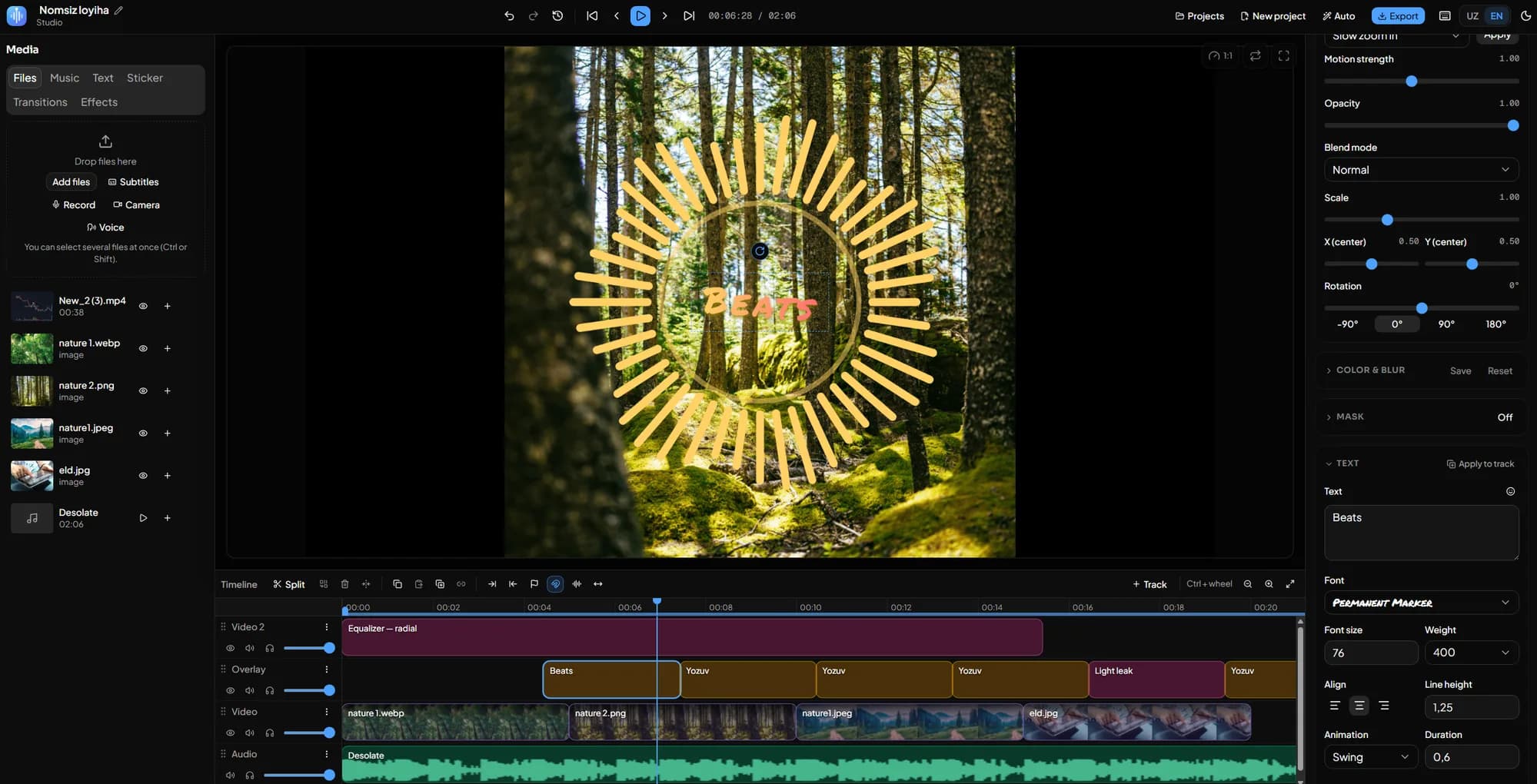
Not a toy — a real timeline editor. Frame-accurate cuts, layers, animation, audio and a proper export.
Multi-track timeline
Unlimited video, text and audio tracks. Frame-accurate splitting, trimming, ripple delete, snapping, multi-select and deep undo.
111 transitions
Cross-fade, wipe, slide, shape, zoom and glitch. Drag one onto a cut — clips never move or overlap.
70 visual effects
Glitch, VHS, grain, hologram, neon, vignette, chromatic aberration and more. Each has an intensity slider and works on video, image and text.
Auto tools
Cut the silence in one click, stabilize a shaky handheld shot, duck the music under speech automatically. Each one reports exactly what it did — and undoes right there.
Cut to the beat
Detects the beats in your music and cuts the video track to them. Zoom punch, shake or flash on every hit — written as keyframes, so the export gets them too.
Color grading & filters
Brightness, contrast, saturation, hue and blur. 9 ready-made presets (Instagram style) plus your own saved looks.
Chroma key (green screen)
Turn a chosen color transparent and reveal the track below. Tune the similarity and edge softness.
Keyframe animation
Animate position, scale, rotation and opacity over time. Four easing curves (linear, smooth, ease in/out).
Text, fonts & subtitles
33 fonts, outline, shadow and background. Drag and rotate text in the preview. Import SRT/VTT subtitles.
183 animated stickers
Glows, sparks, confetti, lower thirds and more — drawn in code, so they stay sharp at any size. You can build your own, too.
Audio & 61 effects
Waveforms, fades, mute, solo and 61 audio effects (echo, reverb, telephone...). A clean-licensed built-in music library.
Speed, crop, stretch
0.25x–4x speed, cropping, contain or cover framing, non-proportional stretch and free rotation.
mp4 export
Hardware encoding through WebCodecs. Pick the height, FPS and quality; export the whole timeline or just the marked range.
GIF & still frames
Export the timeline as a looping animated GIF, or save the current frame as a full-size PNG — for memes, thumbnails and how-tos.
Formats & sizes
Ready sizes for YouTube, TikTok, Reels, Shorts and Instagram. Imports video, images, GIF and audio.
Offline & installable
Install it as an app and work with no connection. Media lives in OPFS, the project in a browser database — safely.
Free quick tools
No editor, one step. Files are processed in your browser — never uploaded anywhere.
Ready in three steps
No sign-up. Open it and work.
Drop your files
Drag video, images, GIF or audio straight into the window. Import is instant — there is no upload to wait for.
Edit
Cut, add transitions and effects, type text, mix the audio. The preview reflects every change immediately.
Export to mp4
Choose the size and quality. The file is assembled in your browser and saved straight to disk.
Your hands stay on the keyboard
Editing speed lives in the shortcuts. Inside the editor the «?» key opens the full list.
- Play / pause
- Space
- Split at the playhead
- S
- One frame forward / back
- ←→
- Mark the play range
- IO
- Delete the selection
- Delete
- Undo / redo
- CtrlZ
Frequently asked
Are my videos uploaded to a server?
No. Ondo Studio runs entirely in your browser. Files live in your device's local storage (OPFS) and never touch the network.
Is it free?
Yes. No account, no payment. Just open the studio and work.
Are the effects and transitions really real-time?
Yes. Effects and transitions are drawn with WebGL and audio effects with Web Audio — what you see and hear in the preview is exactly what lands in the export.
Which browsers are supported?
Recent Chrome and Edge work fully. On Firefox the export falls back to Opus audio. Safari's WebCodecs support is limited, so export may not work.
Can it handle large videos?
Yes — media is written to browser disk storage, not memory. Export speed depends on your machine, though: a long 4K project can take a few minutes.
What if the preview is black?
That is usually a faulty graphics driver. The studio detects it and switches to software decoding on its own — you need do nothing, it is just a little slower.
Start your first edit now
Nothing to download, nothing to sign up for. One click opens the editor.
Start for free